The Plex password debacle
- Date
- 15 September, 2025
- Category
- code
- Tags
- Plex Windows
A week or so ago, the news broke that Plex had been blahed and we all needed to change our passwords and force our devices to sign out, blah blah blah. I'm not going to comment on that whole situation, but at least it is pretty easy on the user end to resolve...or so I assumed.
Turns out, changing the password and revoking device authentication messed up a lot of people's access. We were not spared that fate. Our plex server was running but we couldn't actually see the server / libraries. Not an ideal user experience after something as routine as changing the password, seems like maybe the Plex folks should work on it. Anyway, you can find lots of reddit discussions and various forum posts with people exchanging ideas about how to "reclaim" a server, many of which involve deleting esoteric files before reinstalling the server, or manually getting a token, etc, etc.
Now using the terminal or meandering through my file system's equivalent of B5's gray sector would be fine and well for me, normally, but our media server is running on a Windows 11 machine. I am GARBAGE at anything on Windows. I can't even always figure out how to get to the Desktop! If that's what they even call it? I wasn't keen on figuring out how to curl using Power Shell or whatever to get a token if I could help it.
When in doubt, reinstall, right? So that's what I did for the media server (that's one way to get the latest version, I guess). Unfortunately, the typical 127.0.0.1:32400/web URL wasn't fixing the problem for me. It would ask me to log in, then say something had gone wrong, leaving me no clues.
The fix
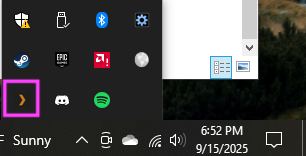
What ultimately worked for me was going to the media server's icon on the Windows task bar, right clicking it to open, then authenticating in THAT window. Don't ask me why it worked, but it did, and I'm not going to complain. I didn't see this solution being talked about on various forums so just in case this helps somebody else, I figured I'd write it up.