Finding the mini CSS framework for me
- Date
- 13 April, 2026
- Category
- code
- Tags
- CSS
When I created this website many years ago, I decided I would roll all my own CSS. I have a reasonable amount of experience with Bootstrap and USWDS and I like both of them, but I felt it was time for me to actually "figure out" CSS. If you've ever looked at my website, you can probably tell this was a horrible, although fun, mistake.
Overview
The landscape of design frameworks is dominated by names like Tailwind and Bootstrap. These frameworks often involve JavaScript, complex Sass, and extensions. In comparison, mini CSS frameworks attempt to provide the smallest, simplest building blocks you need to get a website up and running.
A couple things appeal to me about the concept of mini frameworks:
Semantic tags: the majority of these frameworks build on HTML tags like section and nav, so they should both plug into well designed pages very easily, but also encourage you to write with semantic tags.
Minimal computing: in my past life as a digital humanist, I was interested in "minimal computing," which is creating tools / websites / archives / etc with heavy constraints in mind. Mini CSS feels to me like it fits right in.
Longevity: frameworks with many moving pieces, JavaScript dependencies, etc, are more likely to require maintenance and upgrades. I'd much prefer to download a file once and forget it for the most part, trusting that it will continue to work for many years to come.
Laziness: I admit, I don't care to figure out how to install Tailwind. Updating USWDS is always at least a day-long venture. I just want a simple CSS file I can include once and manually customize variables for. I don't want to set up a Sass pipeline (even though that's not hard). I don't want to have to write much of my own CSS. I just want something to work without me having to DO much work.
My first foray into a mini CSS framework
Last summer, I spun up a quick website for my book club. A good opportunity to try out a mini CSS framework, right? I chose Pico, but quickly became frustrated. It was a little bit too mini -- it was lacking features I had hoped would come out of the box. My CSS-ineptitude combined with being distracted by the much more fun problem of making an ASCII banner work in HTML meant that the site continues to suffer from Not Being Very Good today.

Framework rundown
Although Pico didn't get me where I wanted to go, I haven't lost faith in the idea that there's a mini CSS framework out there for me. I think it's nearly time to actually invest time in making my personal website look like something a professional software dev made rather than a high school project (although I never claimed to be a frontend dev). So, I've gone through 20 frameworks to decide which I would like to try out next!
- Bulma
- Chota
- Lotus
- milligram.io
- mini.css
- MOD-CSS
- MVP.css
- Picnic
- Pico CSS
- Pure
- Sakura
- Simple.css
- Skeleton
- Spectre
- SpryCSS
- Sugar.css
- Tachyons
- Tacit
- Water
- Wing
My frontrunners
mini.css
"mini.css is crafted with long-term support in mind, so expect it to be compatible with all modern browsers, as well as their future versions."
Mini is not the snazziest looking of the frameworks on this list, and their homepage's design almost made me click away immediately, but when it comes to the features I think mini has decent potential. It has a nice grid system with screen size utilities. It has a collapsible nav right out of the box. There are a number of other elements like spinners, toasts, tooltips, and text highlighting.
Picnic CSS
"Lightweight and beautiful library"
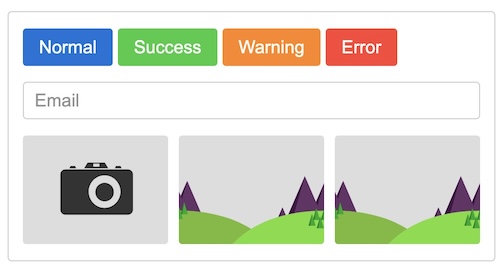
Picnic is somewhat selective about the components it supports, although my superficial impression is that those elements are pretty well thought out. However, a number of times in the documentation it recommends adding JavaScript to improve the baseline functionality, so take it with a grain of salt.
Picnic's grids are particularly...robust? It looks like it enables a lot of potential complexity, but it's also more confusing than I'm used to from a grid system.
It ships with a collapsible navbar, though, which means Picnic checks all the boxes I've been looking for from a framework.
Pure
"A set of small, responsive CSS modules that you can use in every web project"
I'm having a hard time figuring out if Pure is intended to be a starting point or something more fully featured. On one hand, it seems like it's trying to keep things very simple -- semantic tags, instructions for extending things if you want to take them a step further, etc. But it also has two separate grid systems and a myriad of classes to do whatever it is you need your grid to do.
Unfortunately for me, there's no nav collapse right out of the box, but they provide examples of a responsive hamburger menu that would be easy to implement, so I'm putting it in my bucket of frameworks to try out.
Classful frameworks
Bulma
"Bulma is a free, open source framework that provides ready-to-use frontend components that you can easily combine to build responsive web interfaces. No CSS knowledge required!"
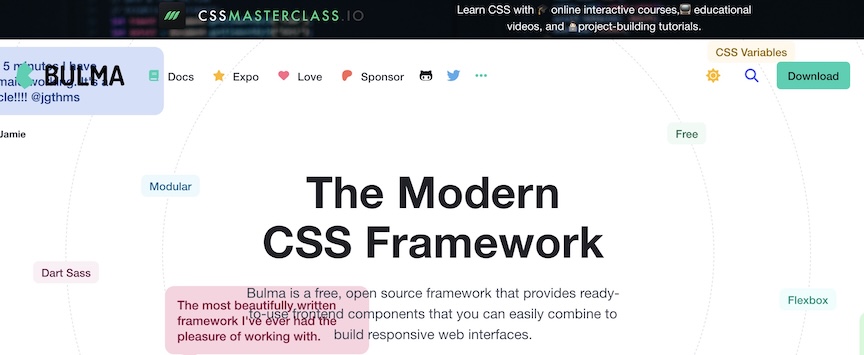
Bulma is only at the top of this list because it's alphabetized, but it's last place in terms of its homepage. If you want to get people to use your CSS framework, wouldn't you want its site to be....readable? ANYWAY.
Bulma feels less like a mini framework and more like a traditional CSS framework, but you only need the single CSS file plus some variables to customize it. If you want, you can go the Sass and mixins route to really make it your own.
It has multiple grid systems, collapsible nav, dark mode, a pretty good suite of components and utilities.
Chota
"Chota is dead simple to use. It doesn't require learning a lot of class names like other frameworks. It applies a few basic styles to the HTML following the HTML Semantics."
Chota is very nearly a classless framework, but I'm including it in this part of the list because it comes with a 12-column grid system, responsive (but not collapsible) nav, and a pretty decent number of utility classes.
Lotus
"a small (~1.8k) and powerful css library for the responsive web"
The documentation for Lotus is pretty sparse. It has a couple utility classes for things like grids, but it doesn't provide you with the code, instead you have to inspect the code to see how it's done. It has a "builder" which allows you to set up your fonts, line heights, etc, and generate a CSS file from them.
milligram.io
"Milligram provides a minimal setup of styles for a fast and clean starting point. Just it! Only 2kb gzipped!"
Milligram has a polished look that several of the most minimalistic frameworks lack. It doesn't have many bells and whistles, but it does have a basic responsive grid with min-widths. It does not have a built-in navbar.
MOD-CSS
"MOD is a CSS framework only javascript based, in single file...Another special feature of MOD is that it does not use the traditional 'class' attribute of HTML to style. We use our own attributes to define your styles but also to structure your design."
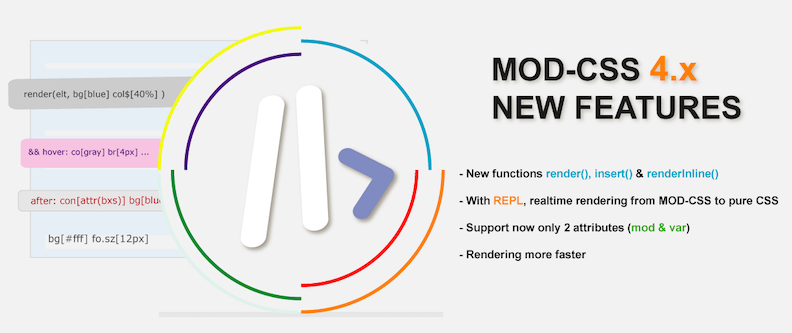
I won't lie, I have a pretty negative kneejerk reaction to the idea of using JavaScript and a bunch of custom attributes. It reminds me of things like React, where JavaScript over complicates tasks that should be very simple.
I'm not sure this one is for me but I can see how it might be useful for some teams and settings.
Pico CSS
"A minimalist and lightweight starter kit that prioritizes semantic syntax, making every HTML element responsive and elegant by default."

Pico is one of the prettiest of the frameworks on this list. There are many themes to choose from, light and dark toggling, color tokens. The form elements look great. The look and feel of Pico is why I chose it for my book club website.
Unfortunately, while Pico boasts many configuration options from "classless" mode to conditional styling, where you can apply Pico to only certain elements or sections of your site, ultimately it lacks in a couple things I'm looking for the most: a responsive grid and a collapsible nav. Additionally, I've struggled with the automatic light and dark styling behaving in unexpected ways and making it so I end up with white text on a white background.
Skeleton
"A dead simple, responsive boilerplate...You should use Skeleton if you're embarking on a smaller project or just don't feel like you need all the utility of larger frameworks."
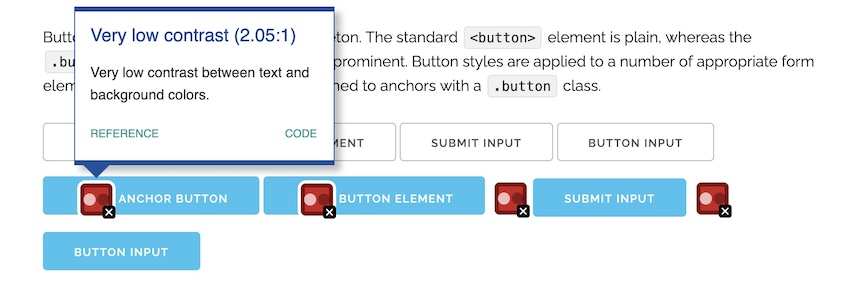
Skeleton gets some marks against it because its base components, such as buttons, are clearly inaccessible even with the naked eye. Yes, you could change the color, but I feel like you shouldn't have to!
Otherwise, Skeleton has a couple utility classes, a 12-column grid, and a couple other niceties.
spectre.css
"Spectre provides basic styles for typography and elements, flexbox based responsive layout system, pure CSS components and utilities with best practice coding and consistent design language."

Spectre has a LOT of components and utilities compared to some of the other mini frameworks. It has non-JS popovers, avatar classes, chips, toast messages, and "empty states." In addition to common utilities like display and position, it also has classes for cursor display and shapes. In the "experimentals" section, there's even more -- 360-degree viewer, parallax, an "off-canvas" navigation sidebar that slides in and out, and most excitingly for my digital humanities past, a pretty nice timeline.
Its 12 column grid is responsive and includes features like offsets. Unfortunately for me, once again, Spectre doesn't have a collapsible navbar out of the box.
I'm curious how I would feel about Spectre if I actually played with it for a bit, but just at a glance there seems like a lot here.
SpryCSS
"SpryCSS aims to be a simple and customizable CSS Toolkit while being as lightweight as possible (Only 13kb gzipped)."

SpryCSS has quite a few components, including sliders, alerts, and modals. The look and feel is simple but pleasant. One mark against it, in my opinion, is that it's Sass. It's very possible I'll come around to preferring Sass because of the ease of customization, but at least for now I have it in my mind that I just want drop-in CSS without any pre-processing.
There are two responsive grids available, and a responsive navigation menu, so other than the Sass issue, this is an attractive option for me.
Sugar.css
"Sugar = cutting edge CSS"
Sugar is an interesting one, in that it takes advantage of some of the newest CSS functionality, which also means it has less browser support than the majority of these. Some of the latest CSS changes are super powerful, so I'm excited more frameworks are adopting them. On the other hand, it seems like a minimal CSS framework should be expected to work for basically any browser. At any rate, Sugar says it is "fresh baked" and still in beta, so use at your own risk.
Sugar has a very polished look. The form elements, buttons, and tables look very slick. It has a grid system but it looks a tad complicated to use and requires inline styles. Unfortunately for me, Sugar is lacking a collapsible navbar out of the box.
Tachyons
"Built for designing. Create fast loading, highly readable, and 100% responsive interfaces with as little css as possible."
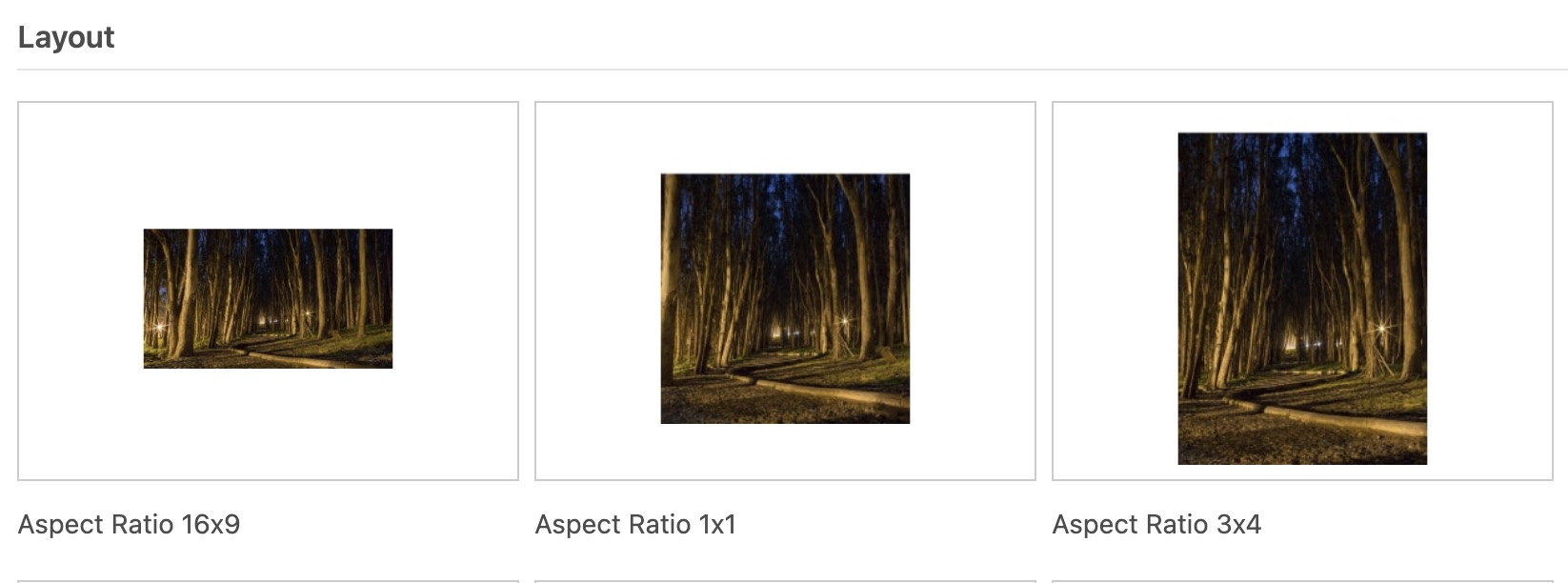
Tachyons presents the documentation for its components as a massive gallery of examples, which I find a little difficult to navigate. It looks pretty fully featured but I'm not sure I believe its goal for writing as little CSS as possible -- looking at the example code for an "article list," I see dozens of utility classes on every line of code.
It has a responsive grid and multiple examples of nice menus, although none with the out of the box collapse like I'm looking for. Tachyons focuses a lot of its energy on typography, text, display, and similar utility classes.
Wing
"A beautiful CSS framework designed for minimalists"
Wing is very nearly a classless framework, but it has a simple 12 column grid and some nice utilities, including some to hide elements on particular breakpoints.
Classless frameworks
What is a classless framework? It means CSS that styles commonly used HTML elements, like h1, p, and article. Their strength is taking a plain HTML document and making it look a more polished.
I'm interested in classless frameworks from an academic sense, but less for the purposes of my blog because I want a few more bells and whistles. Still, it was fun looking at the options that are out there.
MVP.css
"A minimalist stylesheet for HTML elements. No class names, no frameworks, just semantic HTML and you're done."
There are very few examples and I was too lazy to download it to try it out, but it looks fairly promising as far as the classless frameworks go. Top nav collapses into a vertical nav, which is nice.
Sakura
"A minimal, classless CSS framework / theme...Just drop sakura.css into any webpage and go from an ugly-looking 1900s website to a pretty, modern website in literally 0 seconds."

Despite saying that it will make your 1900s website modern, Sakura's styling still feels pretty 1900s to me. I enjoy the demo, which swaps out themes so you can see how they impact a basic HTML site. It reminds me of CSS Zen Garden. If you want to create your own theme, you will need to customize and recompile SCSS, which kinda bums me out.
Simple.css
"Simple.css is a CSS framework that makes semantic HTML look good, really quickly."
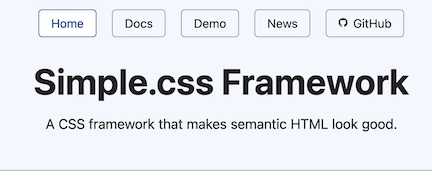
Simple truly is very simple, there's not much else to say about it. They have some examples of figures with figcaption, which I'm finding is a bit rare in the land of mini CSS frameworks.
Tacit
"Tacit is a CSS framework for dummies, who want their web services to look attractive but have almost zero skills in graphic design, just like myself."

I appreciate that Tacit touts that it's W3C valid. In general, it's simple enough styling that I would probably pass it up for anything I needed a form for, but in terms of throwing it onto a simple site, it seems like a nice choice.
Water.css
"I commonly make quick demo pages or websites with simple content. For these, I don't want to spend time styling them but don't like the ugliness of the default styles. Water.css is a CSS framework that doesn't require any classes. You just include it in your <head> and forget about it, while it silently makes everything nicer."
Water hasn't been updated in 5 years and supports IE 11, although for classless CSS I don't know if that's a bad sign. Water has dark and light themes as well as an "automatic" theme that toggles between them, which sounds pretty handy.